
About
CAVATICA was co-developed by Velsera (formerly Seven Bridges) and The Center for Data Driven Discovery in Biomedicine. CAVATICA provides toolsets to support a diverse spectrum of researchers, from low-code to packed workflows to interactive analysis. CAVATICA is FedRAMP and FISMA compliant, and meets NIH standards for data security, storage, and distribution. It is HIPAA-compliant and can be used for PHI data.
This page provides generic instructions on how to access, navigate, and leverage relevant tools in CAVATICA.
Features
The integration of CAVATICA with the AD Knowledge Portal provides users with multiple sophisticated tools to further analyze portal data, combine it with other research datasets, and make novel discoveries in the field of Alzheimer’s and Dementia Research.
CAVATICA Features include:
-
Access to hundreds of commonly used, pre-installed bioinformatics tools through the Public Apps Gallery, including MaxQuant, Olink, and FragPipe for proteomics as well as a large selection of transcriptomic tools.
-
Integration with data from the ELITE Portal and other datasets. You can also bring your own files into CAVATICA.
-
Project spaces to collaborate with other researchers around the world without having to download datasets.
-
Analytical workspace with compute and storage on AWS or Google Cloud, interactive analysis with JupyterLab and R Studio, workflow execution with Common Workflow Language (CWL) and NextFlow (beta), and access to Interactive Genome Browser and Variant Browser.
CAVATICA users working with data from Sage Bionetwork’s Portals should only use AWS for compute and storage to avoid data egress charges and higher costs for analysis.
Connect your Accounts
Log In to CAVATICA
To begin, visit the CAVATICA homepage and click “Launch Platform”.
-
If you are new to CAVATICA, click Create an account and follow the prompts to register your account and then log in.
-
If you already have a CAVATICA account, log in with your eRA Commons credentials or CAVATICA username and password.
Connect Your CAVATICA account to Synapse
-
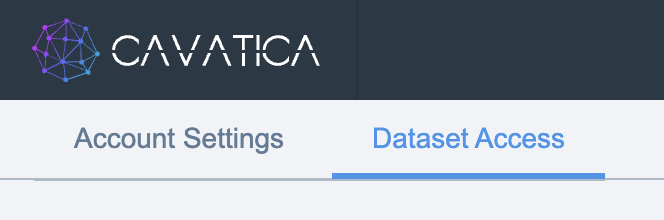
From the CAVATICA homepage, click on your username in the top right of the page, followed by Account settings.
-
In the top left corner of the page, click on Dataset Access.
-
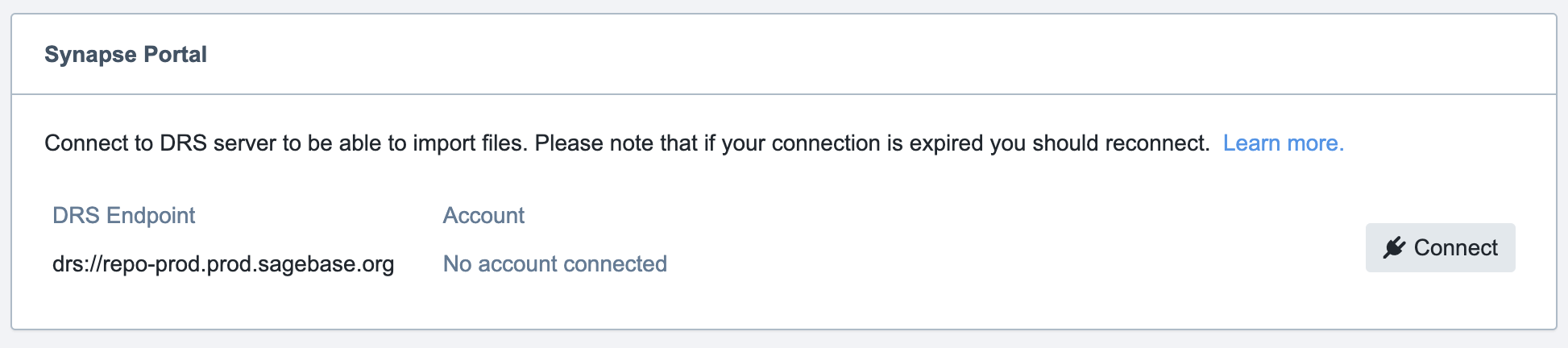
Scroll down to the section with the heading Synapse Portal. Click Connect.
-
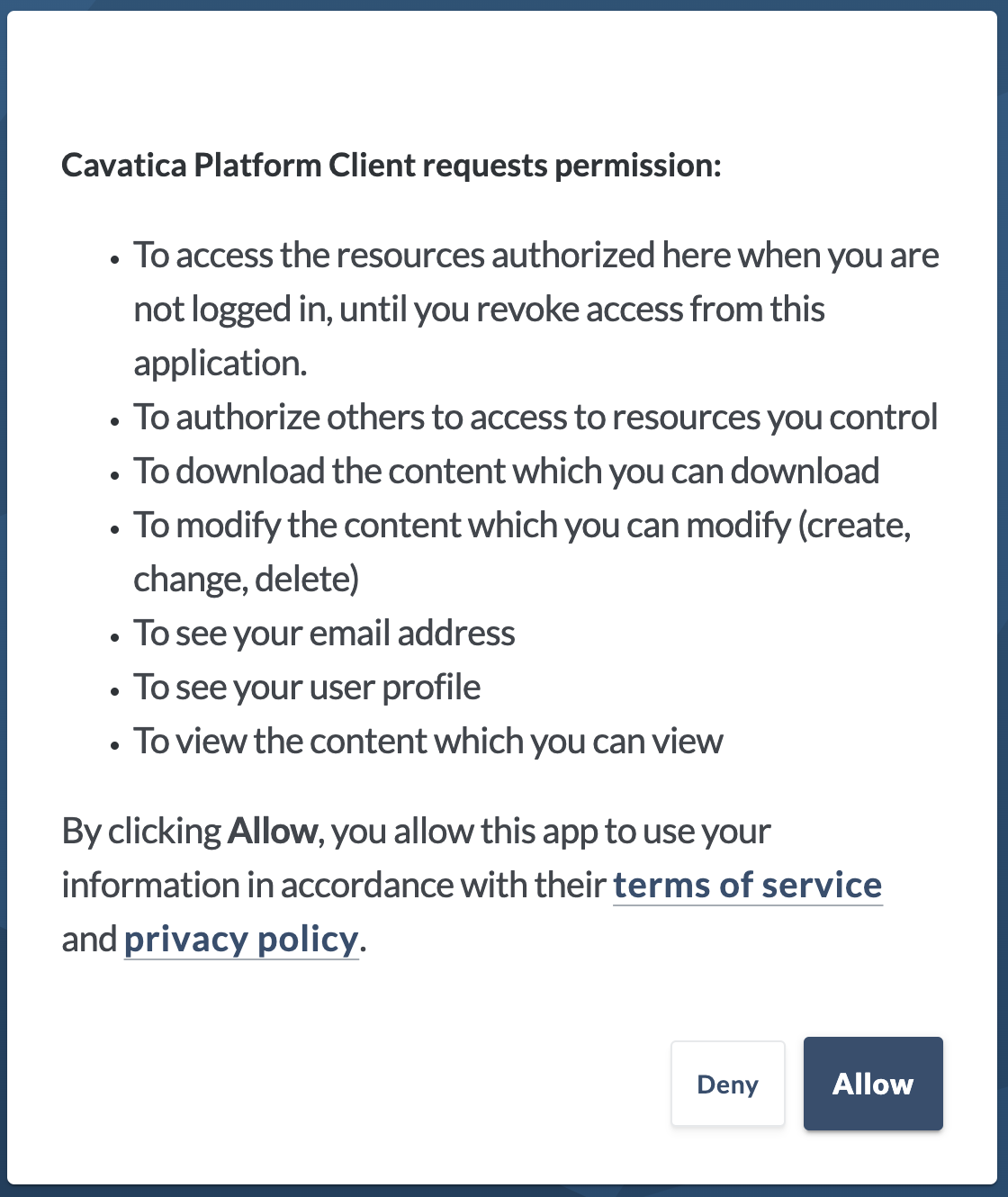
You will be redirected to sign in to Synapse. Log into Synapse and review the prompt requesting permission for CAVATICA to link with your Synapse account. Click Allow.
-
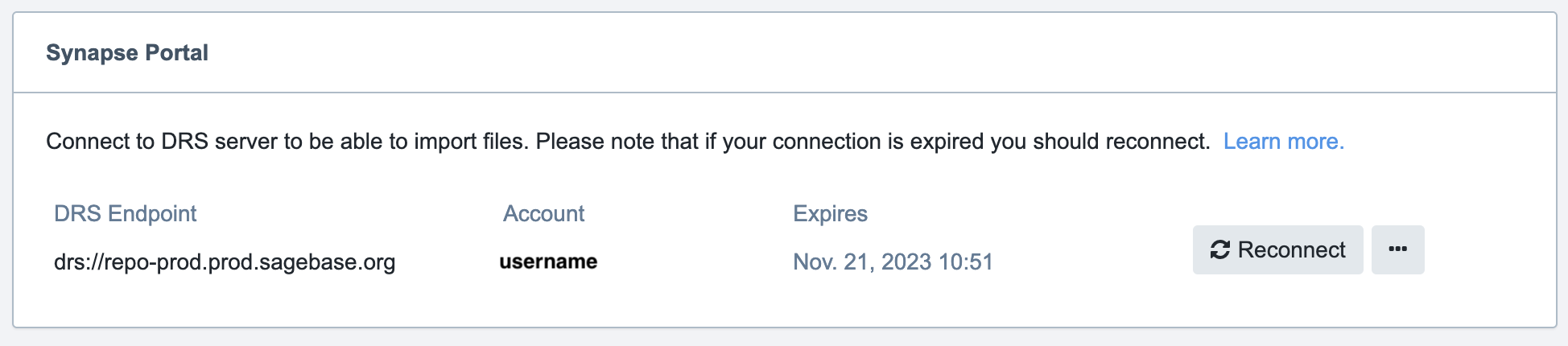
Your CAVATICA and Synapse accounts are now linked! You can verify that you are successfully linked by returning to the Dataset Access page, Synapse Portal section. Note that the connection will expire after a set time. If your connection expires, please repeat steps 1-4 to reconnect your account.
Getting Started
-
Visit the CAVATICA Onboarding YouTube channel for a series of video tutorials to help you get started on the platform, create projects, add data, collaborate, manage files, and explore the Public Apps Gallery.
-
Visit the general Velsera YouTube channel for additional webinars and videos of interest.
-
Technical documentation and getting started guides can be found in the CAVATICA Knowledge Center.
-
Looking for some example projects? Go to the public projects page for demo projects you can access to analyze your data.
Service Support
General help is available any time while using CAVATICA by clicking the blue “?” on the bottom right of the screen.

Disclaimer: Sage Bionetworks may integrate with, and provide links to, compute environments as an alternative to downloading files. These integrations do not signify an endorsement of any particular environment by Sage Bionetworks or funders, nor do they alter the relationship between Sage Bionetworks, existing data contributors, project sponsors or funders, or computational providers. It is the responsibility of individual users to review and comply with the terms of data use for each compute environment, as well as for the AD Knowledge Portal.